
producto

Bilder laden ...

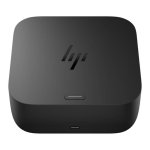
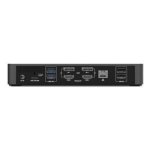
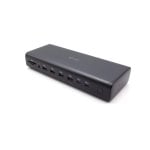
HP USB-C/A Universal Dock G2 Kabelgebunden USB 3.2 Gen 1 (3.1 Gen 1) Type-C Schwarz


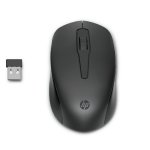
Hinzufügen Maus HP 150 Kabellos 2,4 GHz 1600 DPI Ambidextrisch Schwarz 3 Tasten
387,85€
3,9/527 Bewertungen
Verkauft von Digital Universe DE15,99€
4,5/588 Bewertungen
Verkauft von PcComponentesGesamtpreis403,84€
387,85€
Sicher bezahlen
Ergänzende Produkte
Ähnliche Gegenstände


387,85€
Über das Produkt
Universelle Dockingstation für ältere und aktuelle Notebooks
Seien Sie mit nur einem Kabel schnell einsatzbereit und verbinden Sie Ihre USB-A- und USB-C™-fähigen Notebooks[1] mit Ihren Displays, Geräten und kabelgebundenen Netzwerken mit der flexiblen, kompakten HP USB-C/A Universal Dockingstation G2. Die Dockingstation basiert auf DisplayLink und ist mit Notebooks von HP, Apple®, Dell, Lenovo und weiteren Herstellern kompatibel.[2]
Spezifikationen:
- Anschlüsse und Schnittstellen
- Übertragungstechnik: Kabelgebunden
- Hostschnittstelle: USB 3.2 Gen 1 (3.1 Gen 1) Type-C
- USB 3.2 Gen 1 (3.1 Gen 1) Anzahl der Anschlüsse vom Typ A: 4
- Anzahl HDMI-Anschlüsse: 1
- HDMI-Version: 2.0
- Anzahl DisplayPort Anschlüsse: 2
- Mikrofon-Eingang: Nein
- Kombinierter Kopfhörer-/Mikrofon-Anschluss: Ja
- Netzwerk
- Ethernet/LAN: Ja
- Anzahl Ethernet-LAN-Anschlüsse (RJ-45): 1
- Leistungen
- Integrierter Kartenleser: Nein
- Kabelsperre-Slot: Ja
- Produktfarbe: Schwarz
- Kompatibilität: HP ProBook 450 G7 Notebook PC; HP ProBook 440 G7 Notebook PC; HP ProBook 430 G7 Notebook PC; HP ZHAN 66 Pro 14 G3 Notebook PC; HP ZHAN 66 Pro 15 G3 Notebook PC; HP ProBook 450 G6 Notebook PC; HP ProBook 440 G6 Notebook PC; HP ProBook 430 G6 Notebook PC; HP ProBook x360 440 G1 Notebook PC; HP ProBook 445R G6 Notebook PC; HP ProBook 455R G6 Notebook PC; HP ProBook 445 G6 Notebook PC; HP ProBook 455 G6 Notebook PC; HP ProBook 470 G5 Notebook PC; HP ProBook 450 G5 Notebook PC; HP ProBook 440 G5 Notebook PC; HP ProBook 430 G5 Notebook PC; HP ProBook 455 G5 Notebook PC; HP ProBook 640 G5 Notebook PC; HP ProBook 650 G5 Notebook PC; HP ProBook 640 G4 Notebook PC; HP ProBook 650 G4 Hex Core Notebook PC; HP ProBook 650 G4 Notebook PC; HP ProBook 645 G4 Notebook PCHP Pro x2 612 G2; HP EliteBook 840 G6 Healthcare Edition Notebook PC; HP EliteBook 840 G5 Healthcare Edition Notebook PC; HP Elite Dragonfly Notebook PC; HP EliteBook x360 1040 G6 Notebook PC; HP EliteBook x360 1030 G4 Notebook PC; HP EliteBook x360 1040 G5 Notebook PC; HP Elite x2 G4; HP EliteBook x360 1030 G2 Notebook PC; HP EliteBook x360 1020 G2 Notebook PC; HP EliteBook x360 830 G6 Notebook PC; HP EliteBook x360 830 G5 Notebook PC; HP EliteBook 830 G6 Notebook PC; HP EliteBook 836 G6 Notebook PC; HP EliteBook 840 G6 Notebook PC; HP EliteBook 850 G6 Notebook PC; HP EliteBook 745 G6 Notebook PC; HP EliteBook 745 G5 Notebook PC; HP EliteBook 755 G5 Notebook PC; HP EliteBook 840 G5 Notebook PC; HP EliteBook 850 G5 Notebook PC; HP EliteBook 840r G4 Notebook PC; HP EliteBook 830 G5 Notebook PC; HP EliteBook 735 G6 Notebook PC; HP EliteBook 735 G5 Notebook PC; HP ZBook 14u G6 Mobile Workstation; HP ZBook 15u G6 Mobile Workstation; HP ZBook 15 G6 Mobile Workstation; HP ZBook 15 G5 Mobile Workstation; HP ZBook 17 G6 Mobile Workstation; HP ZBook 17 G5 Mobile Workstation; HP ZBook 14u G5 Mobile Workstation; HP ZBook 15u G5 Mobile Workstation; HP EliteBook 1050 G1 Notebook PC; HP ZBook Studio G5 Mobile Workstation; HP ZBook x2 G4 Detachable Workstation; HP ZBook Studio x360 G5 Convertible Workstation; HP Chromebook x360 14 G1; HP Chromebook x360 11 G2 EE; HP Chromebook 14A G5; HP ProBook 430 G4
- HP-Segment: Business
- Energie
- Energiequelle: USB
- Stromversorgung: 100 W
- Ausgangsspannung: 20 V
- Ausgangsstrom: 5 A
- Software
- Unterstützt Windows-Betriebssysteme: Windows 10, Windows 7
- Unterstützt Mac-Betriebssysteme: macOS
- Unterstützte Linux-Betriebssysteme: Ubuntu 18.04 LTS
- Unterstützung anderer Betriebsysteme: ChromeOS
- Gewicht und Abmessungen
- Breite: 122 mm
- Tiefe: 122 mm
- Höhe: 45 mm
- Gewicht: 695 g
- Markeneigenschaften
- HP GTIN (EAN/UPC): 193905208715
- Logistikdaten
- Warentarifnummer (HS): 84733020
Sicherheit der Produkte
Bewertungen
3.9
27 Bewertungen
100%
Empfehlen26 Empfehlungen- 512
- 46
- 35
- 23
- 11
Hinterlasse deine Meinung
Es wird dich nur eine Minute kosten, aber du wirst den Leuten helfen, sich zu entscheiden.
Nutzerbewertungen
Gesamt 26 Bewertungen
- Mehr relevant
- Neueste
- Älteste
Von Deutschland
P
PeterVor 6 jahren
T
ThomasVor 6 jahren
Aus anderen Ländern
M
MarkVor 4 jahren
Übersetzt ·
Ursprünglich veröffentlicht auf Hp-enC
CLLOYD16Vor einem jahr
n
north country userVor 9 monaten
h
hpVor 10 monaten
N
Not ImportVor 10 monaten
A
Alain TechVor 2 monaten
H
Happy TechyVor einem jahr
S
Steve AVor einem jahr
h
hpVor 10 monaten
N
Not ImportVor 10 monaten
A
Alain TechVor 2 monaten
S
Steve AVor einem jahr
H
Happy TechyVor einem jahr
Verifizierte Meinung
Unser "verifizierte Bewertung" Label garantiert, dass diese Bewertung vom selben Benutzer stammt, der das Produkt auf unserer Website gekauft hat. Wir überprüfen die Echtheit der Käufe und entsprechenden Bewertungen, um sicherzustellen, dass die als solche gekennzeichneten Bewertungen genau und vertrauenswürdig sind.


