PcComponentes
Mein Konto
producto
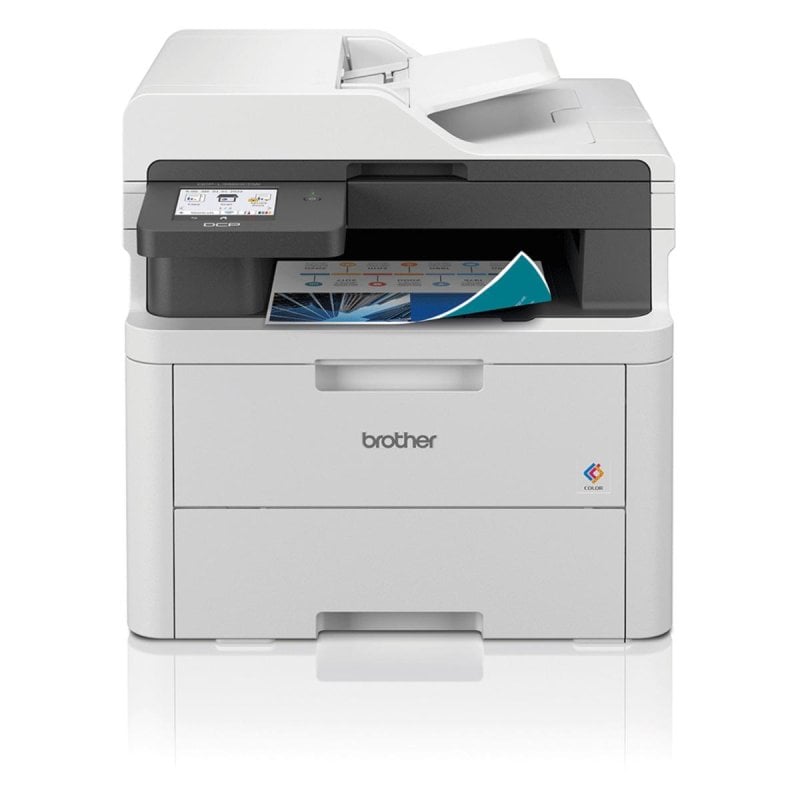
  • Multifunktion Brother DCP-L3560CDW LED Farbe WiFi Duplex A4 Direktdruck
    • Multifunktion Brother DCP-L3560CDW LED Farbe WiFi Duplex A4 Direktdruck
    • Multifunktion Brother DCP-L3560CDW LED Farbe WiFi Duplex A4 Direktdruck
    • Multifunktion Brother DCP-L3560CDW LED Farbe WiFi Duplex A4 Direktdruck
    • Multifunktion Brother DCP-L3560CDW LED Farbe WiFi Duplex A4 Direktdruck
    Bilder laden ...

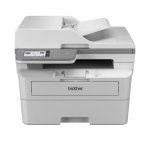
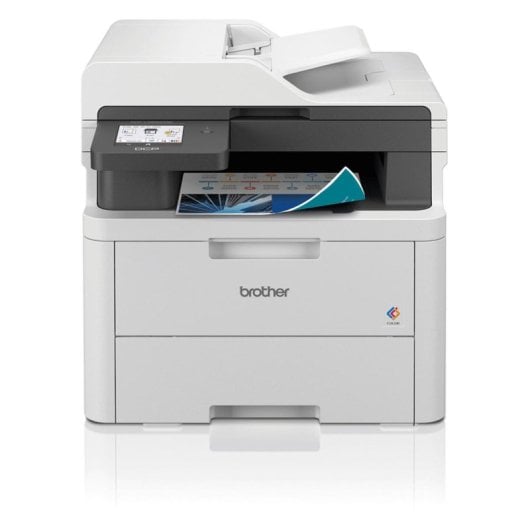
    Multifunktion Brother DCP-L3560CDW LED Farbe WiFi Duplex A4 Direktdruck

    P/N: DCPL3560CDW | Artikelnummer: 10967624
    609,00
    Verkauft und versendet vonMBOtechES
    2,6/5
    31 bewertungen
    Hervorhebungen
    • LED-Farbdrucker mit 26 Seiten pro Minute
    • Automatischer Duplexdruck für effiziente Arbeitsabläufe
    • WiFi, Ethernet und Wi-Fi Direct inklusive
    • 50-Blatt-ADF für komfortables Scannen und Kopieren
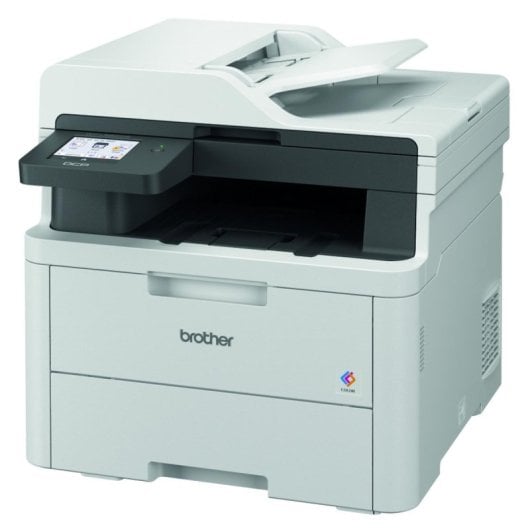
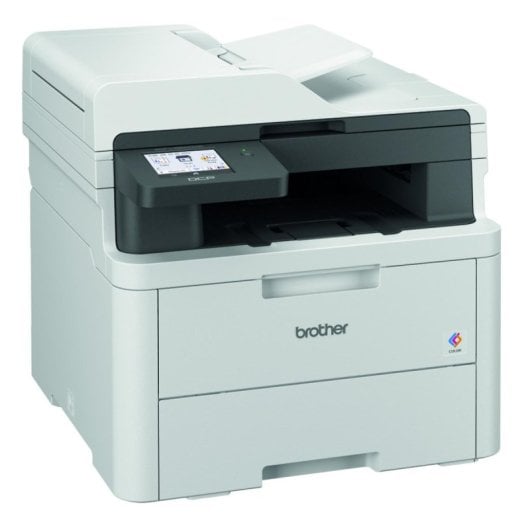
    • Farb-LCD-Touchdisplay für intuitive Bedienung
    • Scannen in 1200 x 1200 DPI möglich
    Hinzufügen Lenovo V15 G5 IRL Laptop, 15,6 Zoll, Intel Core i5-13420H, 16 GB RAM, 512 GB SSD, UHD-Grafik, Windows 11 Home
    Multifunktion Brother DCP-L3560CDW LED Farbe WiFi Duplex A4 Direktdruck
    609€
    4,8/5
    40 Bewertungen
    Verkauft von MBOtechES
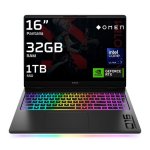
    Lenovo V15 G5 IRL Laptop, 15,6 Zoll, Intel Core i5-13420H, 16 GB RAM, 512 GB SSD, UHD-Grafik, Windows 11 Home
    612,98€
    4,6/5
    52 Bewertungen
    Verkauft von PcComponentes
    Gesamtpreis1.221,98€
    609,00
    Ähnliche Gegenstände
    609,00
    Eigenschaften
    Bewertungen40
    Fragen und Antworten0
    Über das Produkt

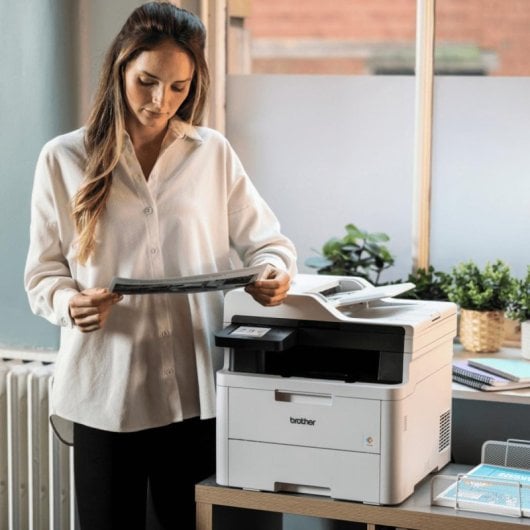
    Sichern Sie sich herausragende Dokumentenqualität mit dem Brother DCP-L3560CDW – der professionelle Alleskönner für höchste Anforderungen im Büro oder Home-Office.

    Merkmale Brother DCP-L3560CDW LED Farbe WiFi Duplex

    Sofort produktiv und flexibel einsetzbar. Profitieren Sie von LED-Farbdrucktechnologie für gestochen scharfe, präzise Ausdrucke und profitieren Sie von professioneller Dokumentenverarbeitung inklusive automatischem Duplexdruck.

    Drucken, Kopieren, Scannen – alles in Farbe. Mit 600 x 2400 DPI drucken Sie hochwertige Dokumente und Fotos. Die Farbfunktionalität unterstützt bis zu 26 Seiten pro Minute, sodass auch größere Aufträge effizient bearbeitet werden.

    Effiziente Arbeitsabläufe dank ADF und Netzwerkfunktion. Der 50-Blatt-ADF automatisiert den Scan- und Kopierprozess, während WiFi, Ethernet und Wi-Fi Direct höchste Flexibilität bei der Einbindung in moderne Arbeitsumgebungen bieten.

    Intuitive Bedienung. Das großzügige Farb-LC-Display mit Touchfunktion sorgt für eine komfortable Steuerung aller Funktionen direkt am Gerät – ideal für anspruchsvolle technische Nutzer mit Praxisbezug.

    Maximale Sicherheit und Vielseitigkeit. Profitieren Sie von mehreren Netzwerkprotokollen, Druckersprachen (PCL, BR-Script 3, PDF 1.7) und erweiterten Sicherheitsstandards wie WPA3. Die Verarbeitung verschiedener Papierformate (A4, A5, A6, B5, Umschläge) setzt Ihrer Kreativität kaum Grenzen.

    Ob für technische Zeichnungen, Berichte, Marketingmaterialien oder bewährte Office-Workflows – dieser All-in-One garantiert ausgezeichnete Resultate. Jetzt entdecken und Workflow beschleunigen!

    Spezifikationen Brother DCP-L3560CDW LED Farbe WiFi Duplex

    SpezifikationDetail
    DrucktechnologieLED
    Druckauflösung600 x 2400 DPI
    Max. DruckformatA4
    Farb-/Schwarzdruck Geschwindigkeitbis zu 26 ppm
    Automatischer DuplexdruckJa
    KopierfunktionFarbe, bis zu 600 x 600 DPI
    ScanfunktionFarbe, bis zu 1200 x 1200 DPI
    ADF Kapazität50 Blatt
    Papierzufuhr (Standard)250 Blatt
    Ausgabekapazität150 Blatt
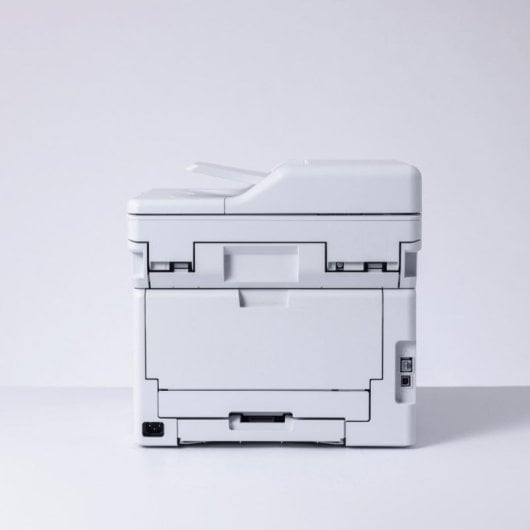
    NetzwerkanbindungWiFi, Ethernet, USB, Wi-Fi Direct
    DisplayFarb-LCD, Touch
    Speicher512 MB
    Abmessungen (B x T x H)410 x 444 x 401 mm
    Gewicht20 kg
    Verbrauch (Betrieb)560 W
    FarbenSchwarz, Weiß

    FAQs - Brother DCP-L3560CDW LED Farbe WiFi Duplex

    Welche Drucktechnologie nutzt das Gerät und welche Vorteile bietet sie?

    Der Brother DCP-L3560CDW arbeitet mit moderner LED-Technologie, die eine gleichbleibend hohe Präzision für Text und Grafiken sowie geringe Wartungsanforderungen ermöglicht.

    Wie einfach lässt sich der Multifunktionsdrucker ins Netzwerk integrieren?

    Mit integriertem WLAN, Ethernet und Wi-Fi Direct kann das Gerät flexibel in nahezu jede Netzwerkumgebung – auch in professionelle IT-Setups – eingebunden werden.

    Welche Medienformate und Papiertypen unterstützt der Drucker?

    Der DCP-L3560CDW unterstützt alle gängigen Formate (A4, A5, A6, B5, Umschläge, individuelle Größen) und Papiertypen wie Recyclingpapier, dickeres Papier und Briefumschläge.

    Bietet das Gerät Möglichkeiten für sicheren und direkten Druck?

    Ja, neben moderner Verschlüsselung (WPA3, WPA2), beherrscht der Drucker auch den Direktdruck über USB oder Wireless, um sensible Dokumente sicher zu verarbeiten.

    Sicherheit der Produkte

    Bewertungen

    4.8
    40 Bewertungen
    100%
    Empfehlen40 Empfehlungen
    • 5
      31
    • 4
      8
    • 3
      1
    • 2
      0
    • 1
      0

    Hinterlasse deine Meinung

    Es wird dich nur eine Minute kosten, aber du wirst den Leuten helfen, sich zu entscheiden.

    Nutzerbewertungen

    Gesamt 40 Bewertungen

    Aus anderen Ländern

    J
    Jackie Yu
    Hace 8 meses
    Great for SOHO My 3rd Brother printer, laser color print is much faster than ink with accepted quality.
    Ursprünglich veröffentlicht auf Brother-nz
    J
    JohnnyL
    Hace un año
    Good for Small Scale Office. Works well with Mac Reliable printer, pretty good for a small scale office. Colour prints colour brightness, contrast and saturation are not as high as an HP printer, but sufficient for office use. The most important point is it communicates much better with our mac th...
    Ursprünglich veröffentlicht auf Brother-nz
    C
    Casper
    Hace 9 meses
    Bang for your buck This is a versatile affordable high quality printer.
    Ursprünglich veröffentlicht auf Brother-nz
    R
    Robnz07
    Hace 2 años
    Good printer, scanner lets it down Good printer but useless for scanning documents as no duplex scanner. Would not by again, next model up needed.
    Ursprünglich veröffentlicht auf Brother-nz
    K
    Khalid
    Hace 9 meses
    Easy to Setup: Easy to Use The consideration of the end user is apparent as soon as one opnes the box. The unit is easy to take out of the box - the printer is in a very strong plastic bag that has convenient handles. The packaging is excellent and the unit is well sealed. Make sure you remove eve...
    Ursprünglich veröffentlicht auf Brother-nz
    b
    brother-nz
    Hace 7 meses
    Excellence Excellent printer, copier, scanner, easy to set up, can print from anywhere in the house from my mobile phone, highly recommend!
    Ursprünglich veröffentlicht auf Brother-nz
    K
    KIWIKANER
    Hace 2 años
    Brother stays by your side So far so good. Haven’t used it so much yet, but quite happy after some struggles to get it online after original installation.
    Ursprünglich veröffentlicht auf Brother-nz
    A
    AnBu
    Hervorgehobene Meinung
    Hace 2 años
    Nice One Brother! Super easy machine to set up. Instant connectivity - nice software from the PC and mobile. Spent far too long persisting with that other brand - so happy to have made this change and choice.
    Ursprünglich veröffentlicht auf Brother-nz
    G
    Guy P
    Hace 8 meses
    A great home office choice The Brother DCP-L3560CDW is a solid choice if you want a reliable printer without breaking the bank. It’s quick, prints in great quality, and comes loaded with handy features like wireless printing, duplexing, and an easy-to-use touchscreen. I'm using it for a home offic...
    Ursprünglich veröffentlicht auf Brother-nz
    M
    Michael L
    Hace 8 meses
    Easy set up This printer is very easy to set up, fast printing.
    Ursprünglich veröffentlicht auf Brother-nz
    b
    brotheruser
    Hace un año
    Brother Laser printer this printer looks and feels solid ( heavy ! ) , apart from the scanner cover itself that in my opinion you need to be carefull with. East to setup and connect to windows 11. Features are good , the lcd screen is small if you have fat fingers. Ready to use after quickly after...
    Ursprünglich veröffentlicht auf Brother-nz
    U
    Uni Student
    Hace 8 meses
    Awesome Printer This is a very nice little printer that is able to provide some quality prints that are clear and vibrant, regardless of content. As a uni student, it's super important to me that I have a good, reliable printer; and that's exactly what this is!
    Ursprünglich veröffentlicht auf Brother-nz
    G
    Graham W
    Hace 8 meses
    Very good home / small office printer, scanner & c Easy to connect and shortcuts make repetitive tasks easy. Document feed makes a quick job of scanning and the print quality is good
    Ursprünglich veröffentlicht auf Brother-nz
    P
    Pebros
    Hace 9 meses
    Printer review Great printer at a great price. Software was a pain to load, even for an experienced user, but once loaded, it works like a charm.
    Ursprünglich veröffentlicht auf Brother-nz
    D
    Donna N
    Hace 7 meses
    Great machine I’ve had this printer for a month or two now, loving it! It was easy to set up out of the box. Prints fast, good quality. Scanning is easy, and works with my Mac seamlessly.
    Ursprünglich veröffentlicht auf Brother-nz
    Verifizierte Meinung
    Unser "verifizierte Bewertung" Label garantiert, dass diese Bewertung vom selben Benutzer stammt, der das Produkt auf unserer Website gekauft hat. Wir überprüfen die Echtheit der Käufe und entsprechenden Bewertungen, um sicherzustellen, dass die als solche gekennzeichneten Bewertungen genau und vertrauenswürdig sind.
    Mehr Bewertungen laden

    Fragen und Antworten

    Es gibt derzeit keine Fragen. Sei der Erste!